My Role
Product Designer - concept,
product strategy & AI-directed design
Industry
Finances
Product type
Native mobile app
concept
Most finance apps show you what happened. This concept explores what it looks like when an app actively predicts, explains, and guides - using AI to detect patterns, fill gaps from lightweight input, and give users meaningful insight within moments of connecting their bank account.
I designed this entirely using Figma AI, directing it through iterative prompts. I led the product strategy, interaction decisions, and wireframing with Figma AI handling visual execution.
Challenge #1
Giving users value before asking for effort
Most finance apps front-load questions before showing anything useful. Users have no reason to trust the app yet, so they drop off. The challenge was to design an onboarding that earns trust by showing value first, then asking for more.
Solution #1
Connect first, show patterns immediately
I structured the onboarding as: connect your bank → we found these patterns → approve or dismiss. The 'we found these patterns' screen only appears after the bank connection, not before. The product earns the right to ask for more by delivering insight first, following the principle of progressive disclosure.
Result: users see personalised AI insights within moments of onboarding, before a single manual input
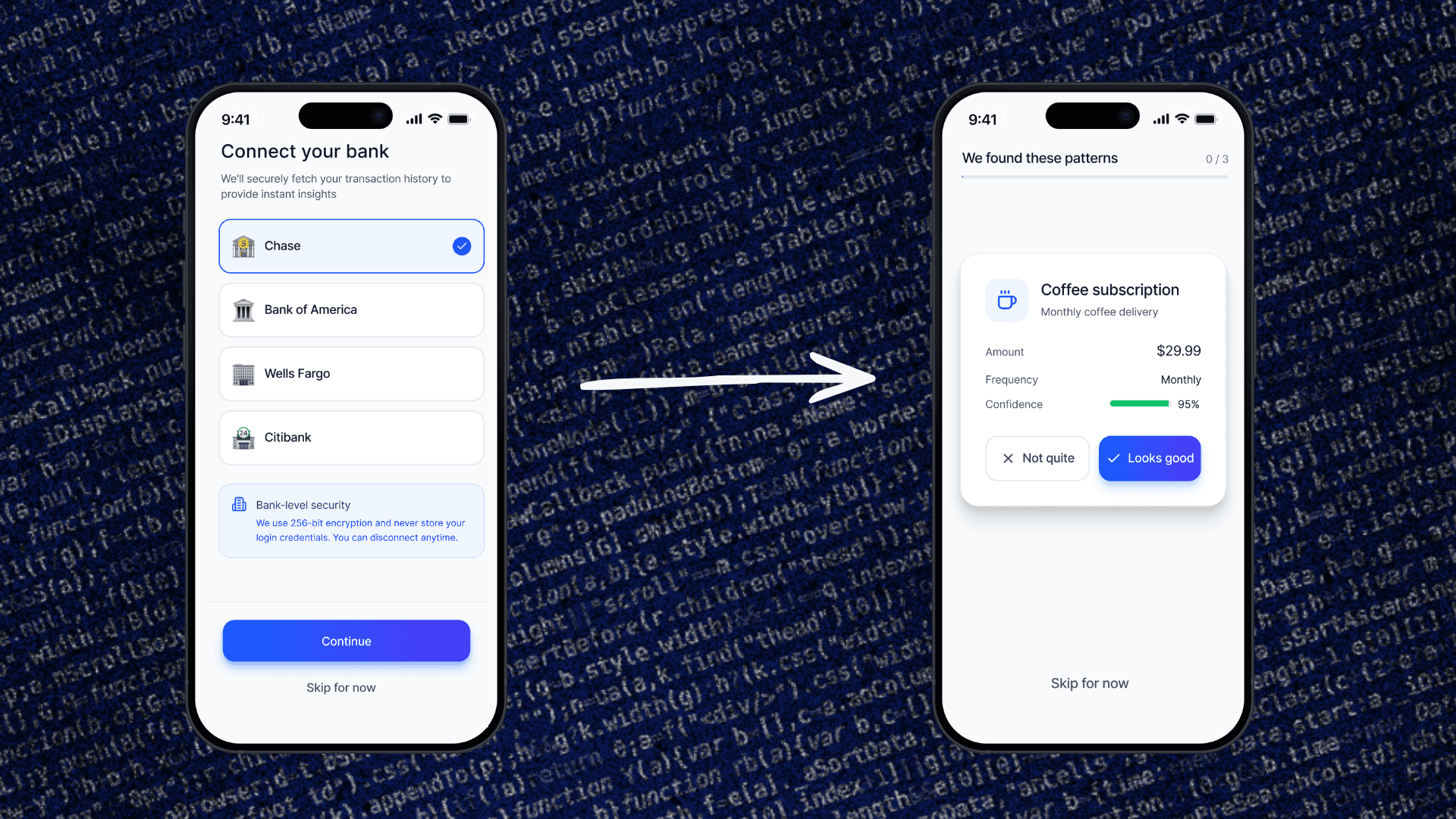

Immediately after connecting a financial account, the app recognizes and delivers insights, powered by AI
Challenge #2
Expense tracking is abandoned because input is friction
Every finance app has the same problem: manual expense entry requires too many fields, too many taps. Users start and stop.
Solution #2
Natural language input with AI interpretation
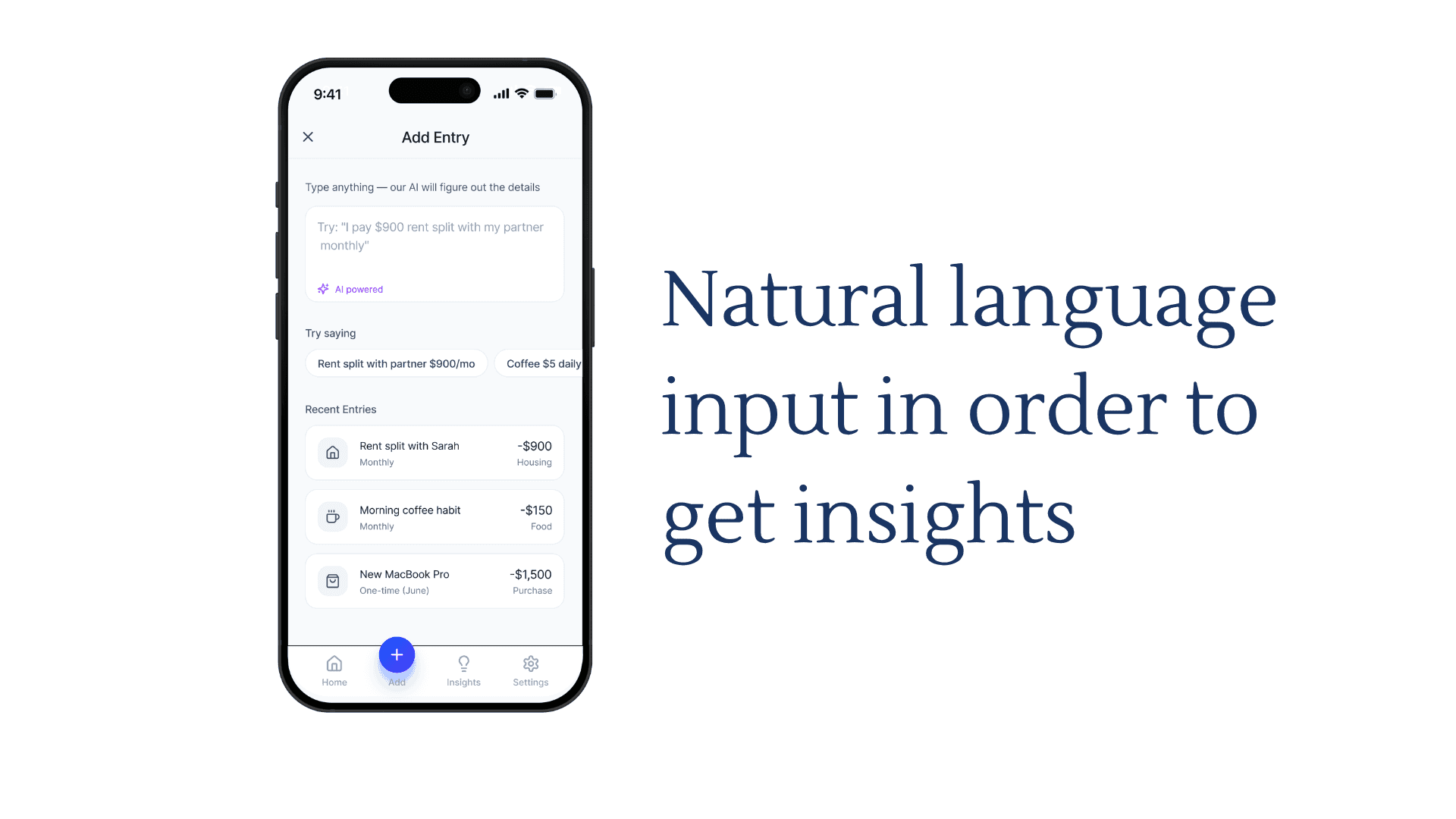
Instead of a form, I designed a free-text input screen where the user types anything, i.e., 'rent split with partner $900', and the AI interprets it, suggests a fill, and asks for approval. The interaction removes the blank-field problem entirely.
Result: expense entry becomes a single natural language line, with AI doing the classification work

Challenge #3
AI confidence scores create anxiety, not trust
The AI generates confidence levels for its predictions. Showing them too prominently makes users focus on uncertainty rather than insight.
Solution #3
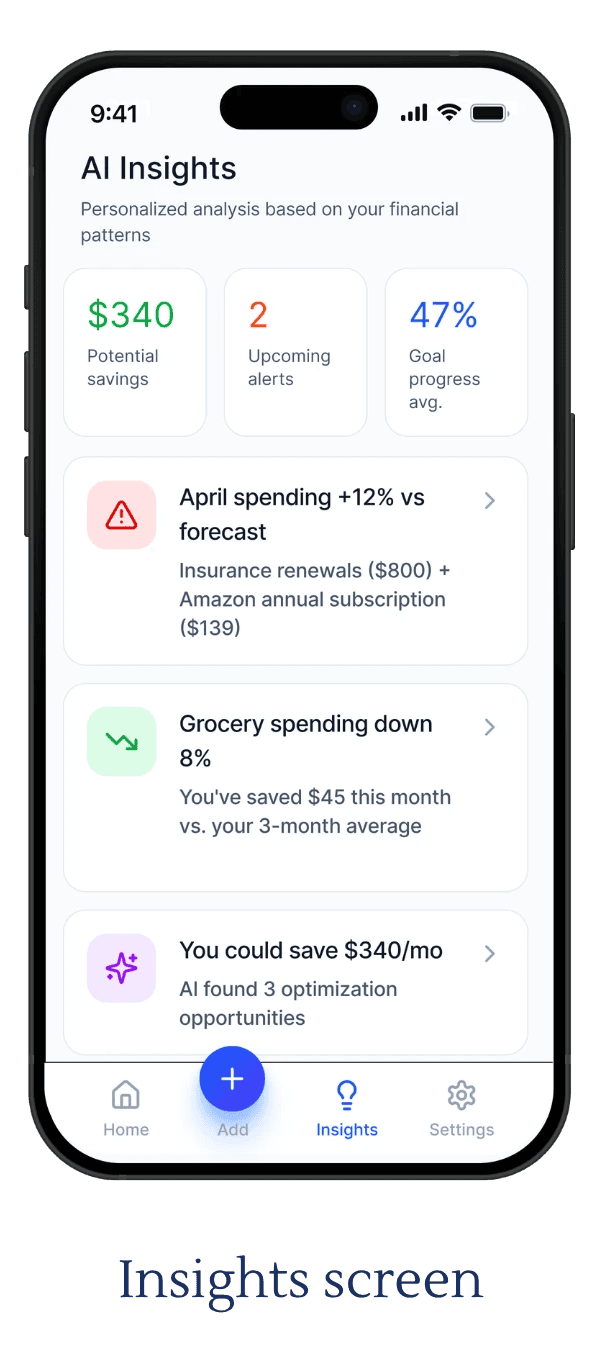
Surface confidence quietly
I directed Figma AI to de-emphasise confidence indicators visually: present but not dominant. The insight is the main event. The confidence score is supporting context.


Method
Editing out noise
Several elements were removed after seeing the first AI output: a balance forecast graph, a model accuracy component, trend arrows, a lightbulb icon on the homepage. Each one added visual complexity without adding user value. Knowing what to cut is as important as knowing what to build.
Results
A complete AI-powered financial planning flow, designed end-to-end with AI
This concept demonstrates a 7-screen native mobile app: from onboarding to monthly drill-down, built entirely through AI-directed design workflows. Every product decision was research-informed. Every visual was AI-executed and human-directed.
Reflection
AI as execution layer, judgment as the skill
This project proved that the value a designer brings isn't in pushing pixels, but in knowing what to ask for, what to change, and what to remove. The brief, the sequencing decisions, the interaction patterns, the editorial cuts were mine. Figma AI handled the craft. The product thinking was the work.